Your app opens. Even offline.
Flags read from the configuration saved on the device. Until it loads, your fallback decides what to show. A slow connection never holds up rendering.
How offline worksFeature management for Expo & React Native
Give a new feature to your team, then your first users, then everyone. Gates puts you in control of what goes live in your Expo app.
14 days of Pro. No credit card required.
Built around the way
your app ships.
Put your new checkout behind a flag. Try it with a small group, then widen the rollout when you’re ready.
Move the slider to give more people access. The people already included stay included.
Illustrative cohort of 100 people. In your app, changes take effect on the next sync.
New checkoutOriginal checkout
import { useFlag } from "@gates/expo";
function Checkout() {
const oneTap = useFlag("checkout-v2");
return oneTap
? <OneTapCheckout />
: <ClassicCheckout />;
}
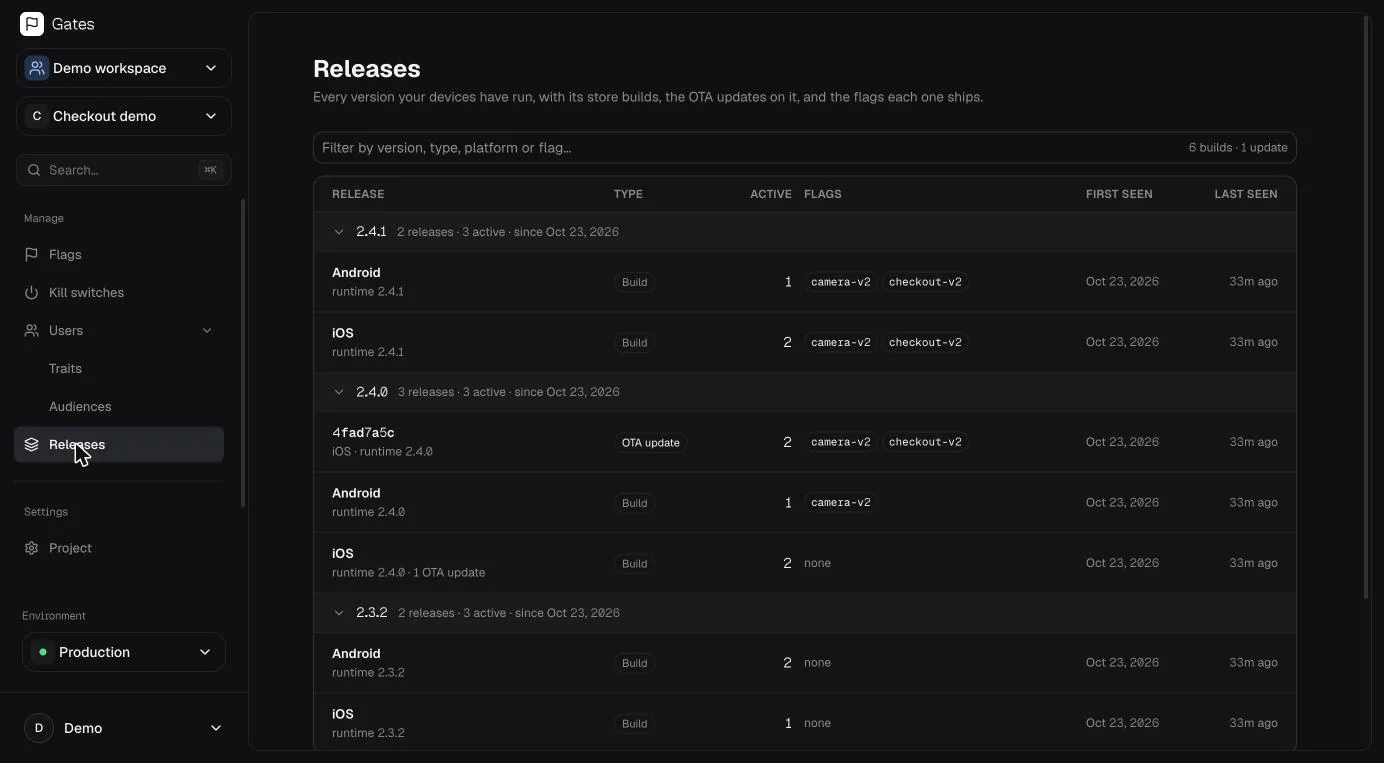
Different builds. Unreliable connections. Users who haven’t updated. Your release tools should understand all three.
Flags read from the configuration saved on the device. Until it loads, your fallback decides what to show. A slow connection never holds up rendering.
How offline worksTarget iOS or Android, an app version, a runtime, or an individual Expo update. Keep new features on the versions that can run them.
Explore targetingA new build can wait. Turn off a feature across the versions that already include it. Connected devices pick up the change on their next sync.
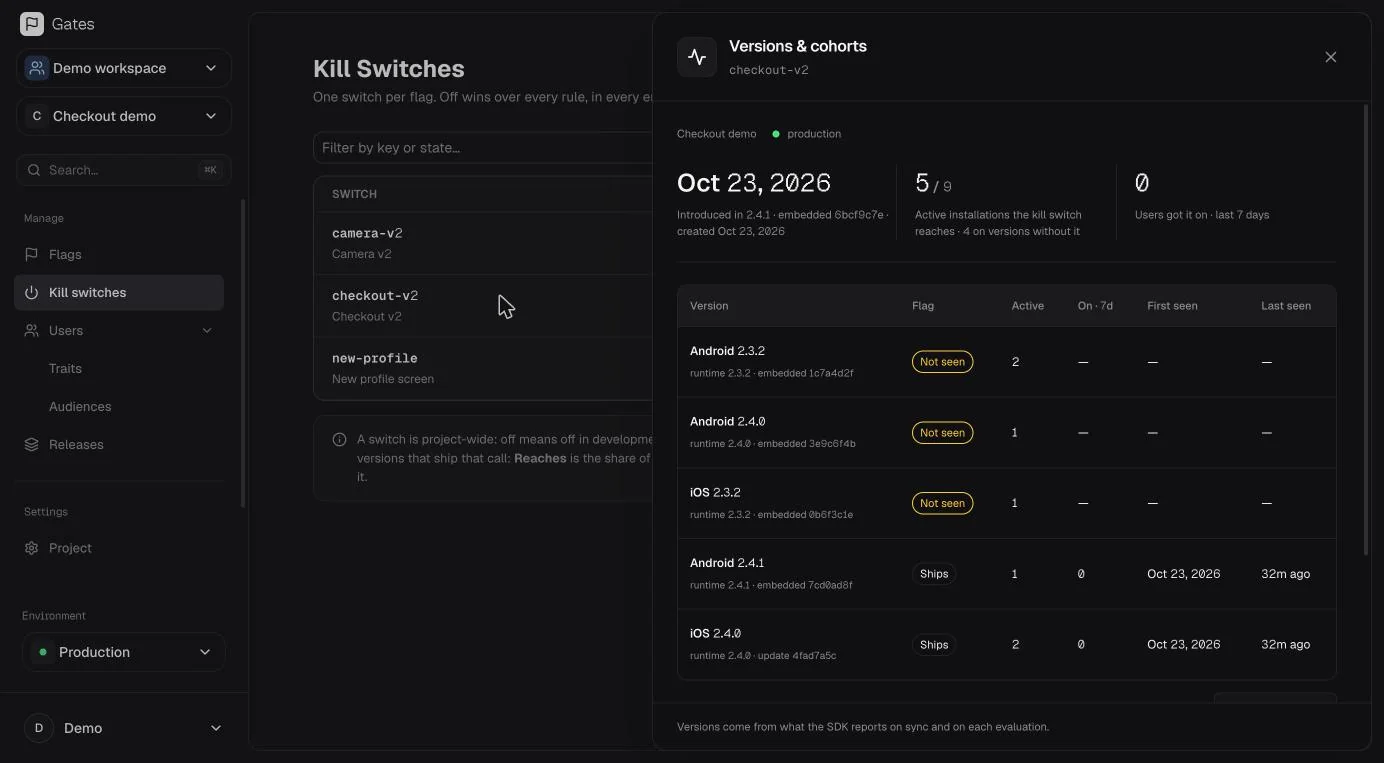
Check which store builds and Expo updates have evaluated a flag before you disable it.
Show an alternative experience when a feature is off. Offline devices keep their last saved configuration.
Your internal team. Beta testers. Customers on a paid plan. Build an audience from the traits you already know, then use it in your release rules.
A signed-in person gets the same rollout assignment across their devices.
Meet People & audiences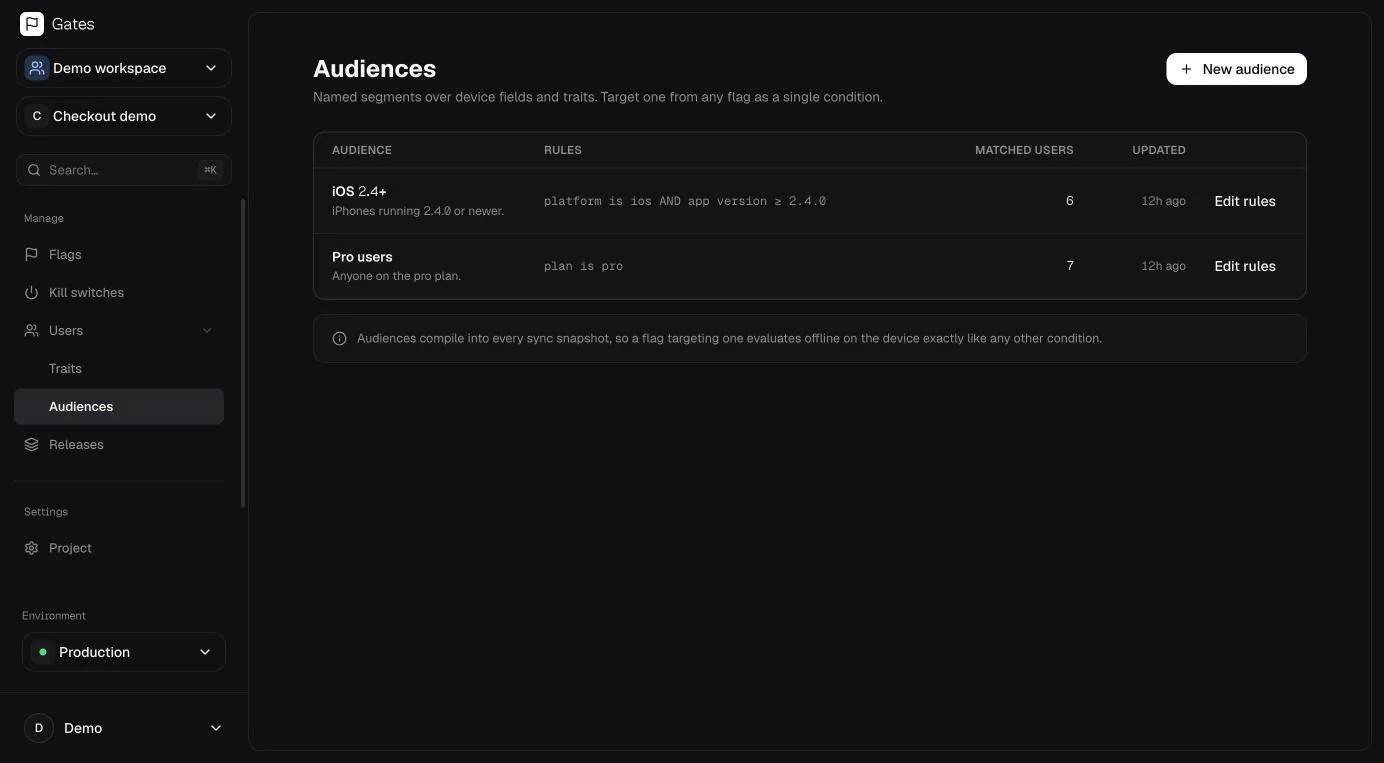
Unlimited seats on every plan. Pricing grows with the devices using your app. Compare plans and usage
For your first app and its first users.
Free, with no time limit.
For teams releasing to a growing audience.
Billed monthly. Or $39/mo billed yearly.
For apps with a larger active install base.
Billed monthly. Or $159/mo billed yearly.
No. The provider renders its children immediately. Until the local snapshot has been read, every flag returns the fallback you gave it; after that, reads come from storage. The network is only used to fetch a newer snapshot in the background.
The app keeps using the last configuration saved on the device. If a sync fails, that configuration stays in place. On a first launch with no saved configuration, flags use the fallbacks in your code.
Yes. The environment key can read configuration and send heartbeats and exposure events. It cannot create, edit or delete flags, change rollouts or read anything else. Changing configuration requires dashboard sign-in.
No. Flags are boolean, so an <Experiment> has exactly two arms and the rollout percentage sets the split. Gates records exposure and adoption so you can see what a flag reached, and leaves significance to your analytics tool.
Start with 14 days of Pro, then stay on Free or choose a paid plan. Pro is $49/month and Scale is $199/month, or $39 and $159 per month when billed yearly. Paid plans include an installation allowance, with additional usage billed in blocks. Seats are unlimited on every plan.
Gates supports Expo and React Native apps on iOS and Android through @gates/expo. The SDK integrates with Expo’s app and update information for targeting.
Start with one flag. Get your team using it. Decide when everyone else should, too.